


KineMaster - AI Video Editor
KineMaster, Video Editor Experts GroupCreate videos, Reels & Shorts faster with powerful AI tools.
Screenshots
About this app
KineMaster - AI Video Editor is an Android app published by KineMaster, Video Editor Experts Group, in the Video Players & Editors category, with 500,000,000+ installs reported on Google Play, and a 4.4 out of 5 rating. This TurboApp page presents the publisher's listing information and sends installation requests to the official Google Play page.
No editing skills needed — just tap and go viral.
[ AI Tools for Your Next Video ]
Turn your clips and photos into awesome videos faster with KineMaster’s built-in AI tools! Create captions, generate voices, remove backgrounds, add incredible visual effects, and more!
• AI Auto Captions: Add subtitles instantly from video or audio
• AI Text-to-Speech: Create spoken audio from text with one tap
• AI Voice: Make your audio unique with AI Voices
• AI Music Match: Get song recommendations fast
• AI Magic Removal: Cut out the background around people and faces
• AI Noise Removal: Zap distracting sounds in your video or audio
• AI Vocal Separator: Split a song into vocals and music
• AI Tracking: Make your text and stickers follow moving objects
• AI Upscaling: Boost the resolution of low-resolution media
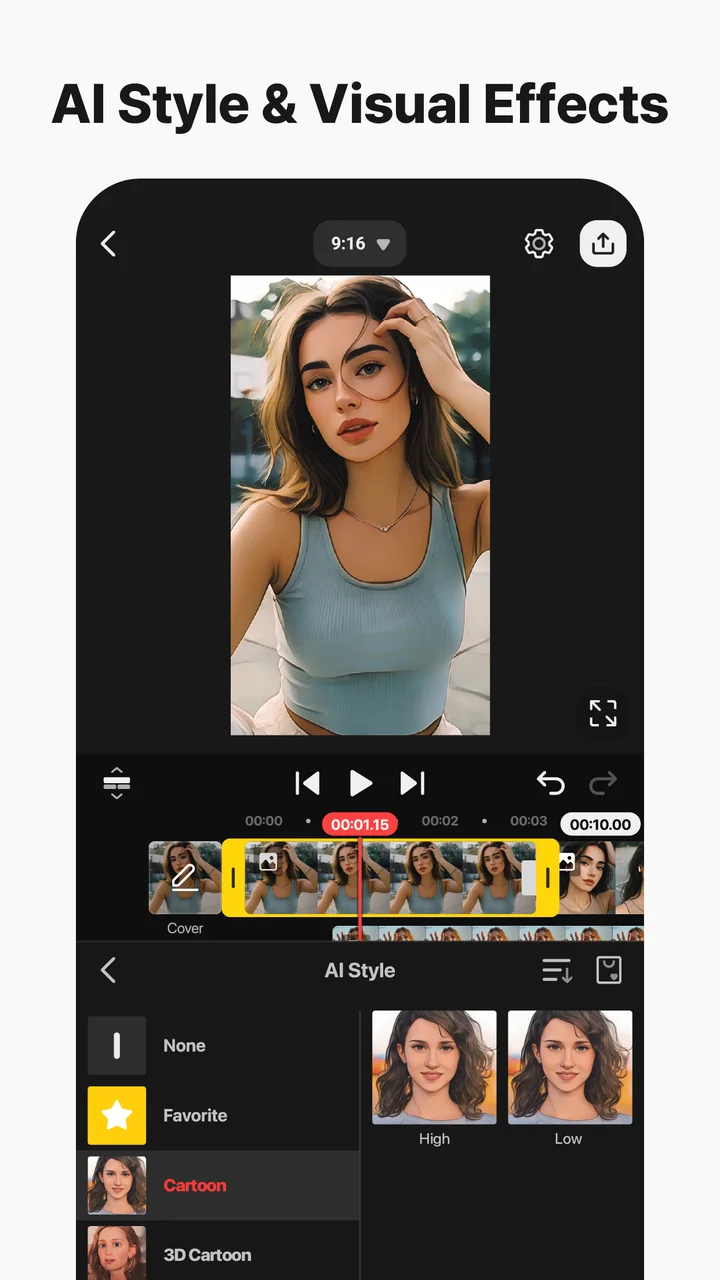
• AI Style: Add artistic effects to your videos and images
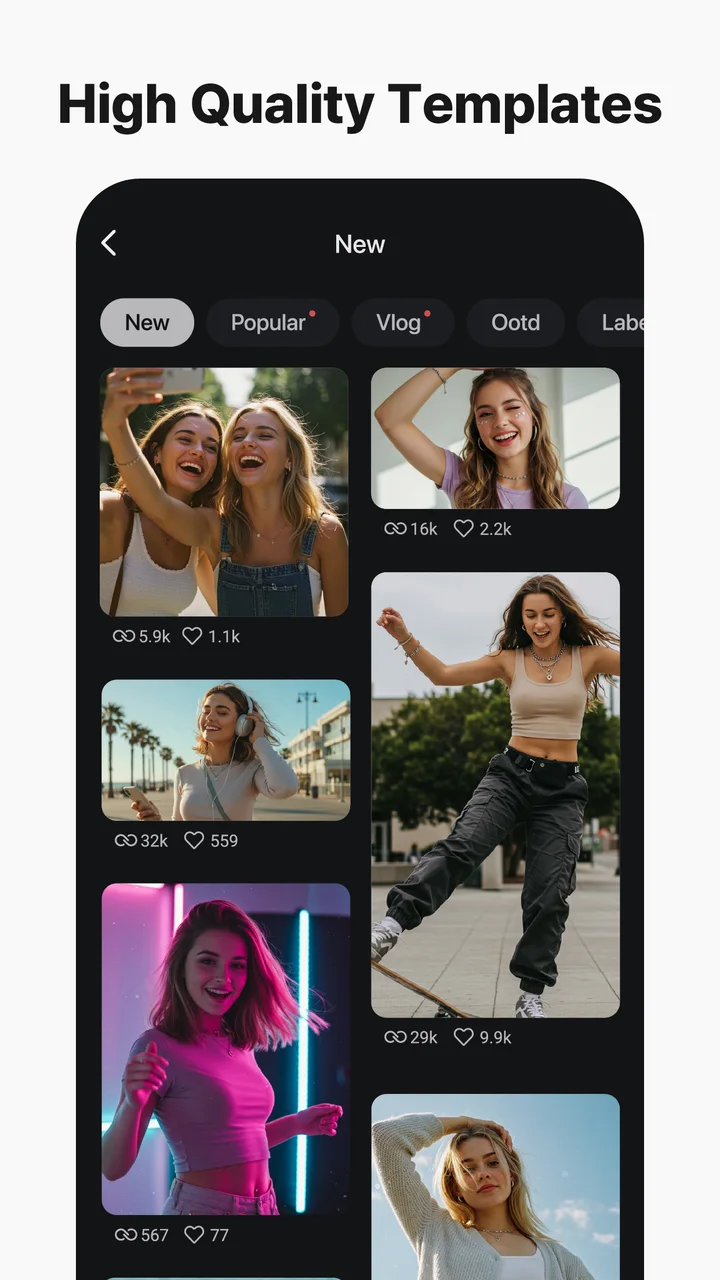
• AI Templates: Get a template recommended for your next awesome video!
[ Professional Video Editing for Everyone ]
KineMaster makes advanced tools easy to use.
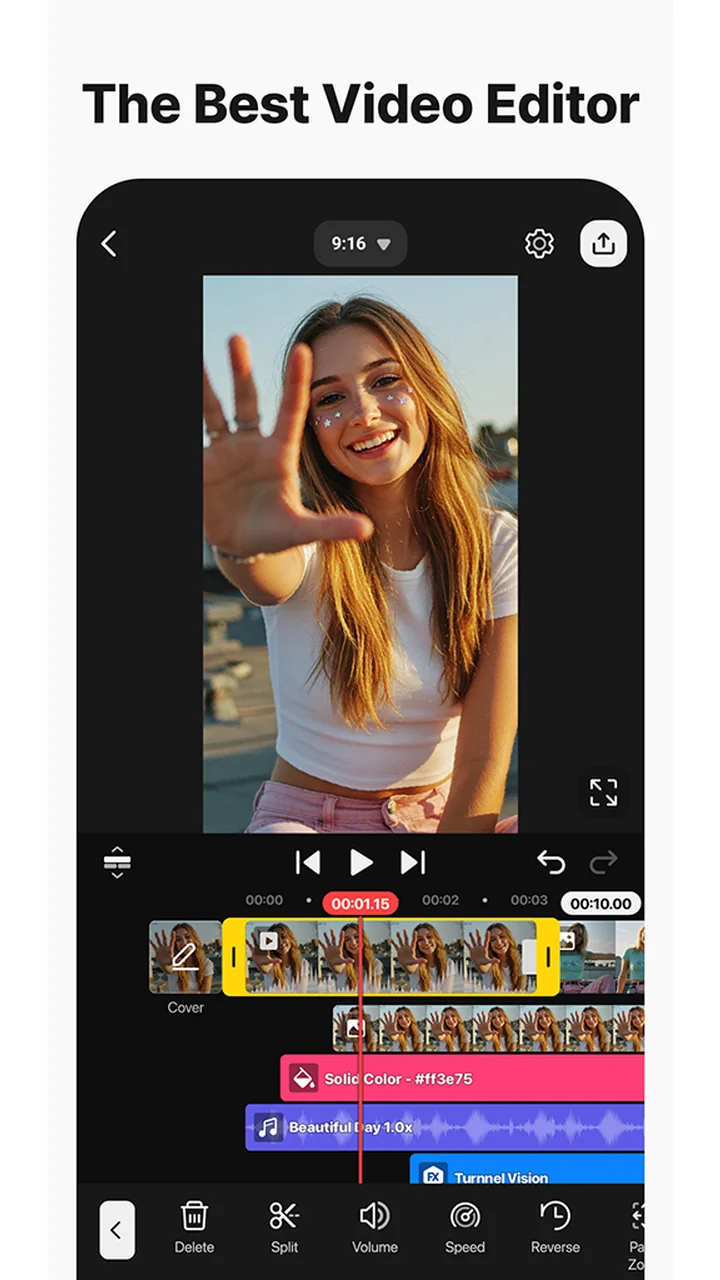
• Keyframe Animation: Adjust the size, position, and rotation of every layer
• Chroma Key (Green Screen): Remove backgrounds and combine videos like the pros
• Speed Control: Reverse, slow down, or turn your videos into time-lapse masterpieces
[ Jumpstart Your Creativity ]
Pick a template, replace its photos and videos, and you’re done!
• Thousands of Templates: Build your own from pre-made video projects
• Mix: Save your video project as a template to share with KineMaster editors everywhere
• KineCloud: Back up personal projects to the cloud to continue editing on another day or another device
[ Make Your Video Stand Out with Assets ]
The KineMaster Asset Store has tens of thousands of resources to make your next video amazing! Effects, stickers, music, fonts, transitions, and VFX: everything is ready to use.
• Effects & Transitions: Enhance your videos with amazing visuals
• Stickers & Clip Graphics: Add graphic animations and design elements
• Music & SFX: Make a video that sounds as good as it looks
• Stock Videos & Images: Get pre-made green screen effects, free stock footage, and tons of video backgrounds
• Variety of Fonts: Apply design-ready stylish fonts
• Color Filters: Choose from a huge variety of color filters for the perfect look
[ High-Quality Output or Optimized Video: You Decide ]
Save your edited videos in high resolution or dial the quality to make them load fast on social media.
Incredible 4K 60 FPS: Produce videos in 4K and 60 frames per second
Optimized for Social Media Sharing: Save videos that are ready to upload to YouTube, TikTok, Instagram, and more
Transparent Background Support: Make videos ready for compositing for use with other videos
[ The Best Tools for Fast, Precise Editing ]
KineMaster is loaded with tools that make editing fun and easy.
• Offers both portrait and landscape editing, the best of both worlds
• Lots of layers: Add and stack photos, videos, and GIFs to all play at once
• Tablet/Chromebook Support: Provides an editing environment optimized for wide screens
• Multiple Undo (and Redo): Revert or reapply your editing history
• Magnetic Guides: Align elements to guides and snap layers in place on the timeline
• Full-Screen Previews: See your edits full screen before saving
• Multi-Selection: Save time by selecting and aligning, duplicating, or repositioning more than one video project layer at a time
KineMaster & Asset Store Terms of Service:
https://resource.kinemaster.com/document/tos.html
Contact: support@kinemaster.com
Official listing information
- Developer: KineMaster, Video Editor Experts Group
- Google Play category: Video Players & Editors
- Installs: 500,000,000+
- Rating: 4.4 from 6,102,870 ratings
- Content rating: Everyone
- Current version: 8.1.15.36566.GP
Developer
Reviews
No reviews yet.