


BinClockWidget
TurboApp republication: shining-catAMOLED-black monochrome binary-clock home-screen widget
Screenshots
About this app
An AMOLED-black, monochrome binary-clock Android home-screen widget.
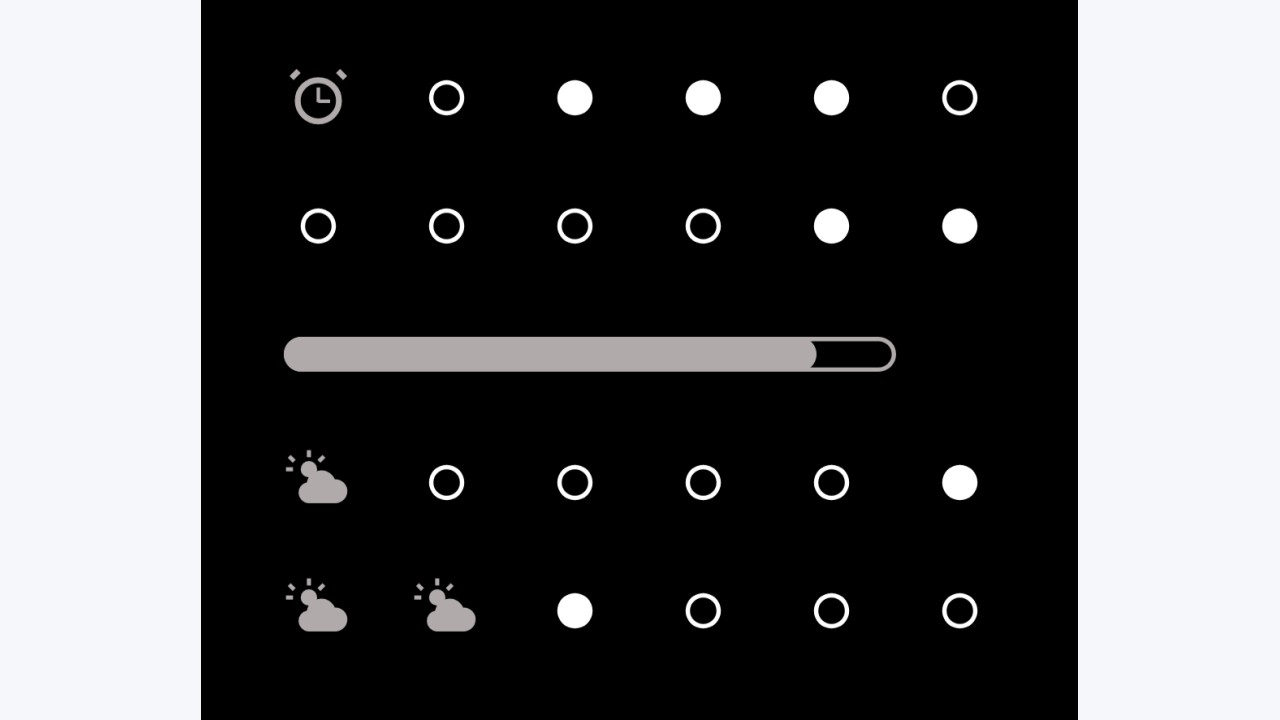
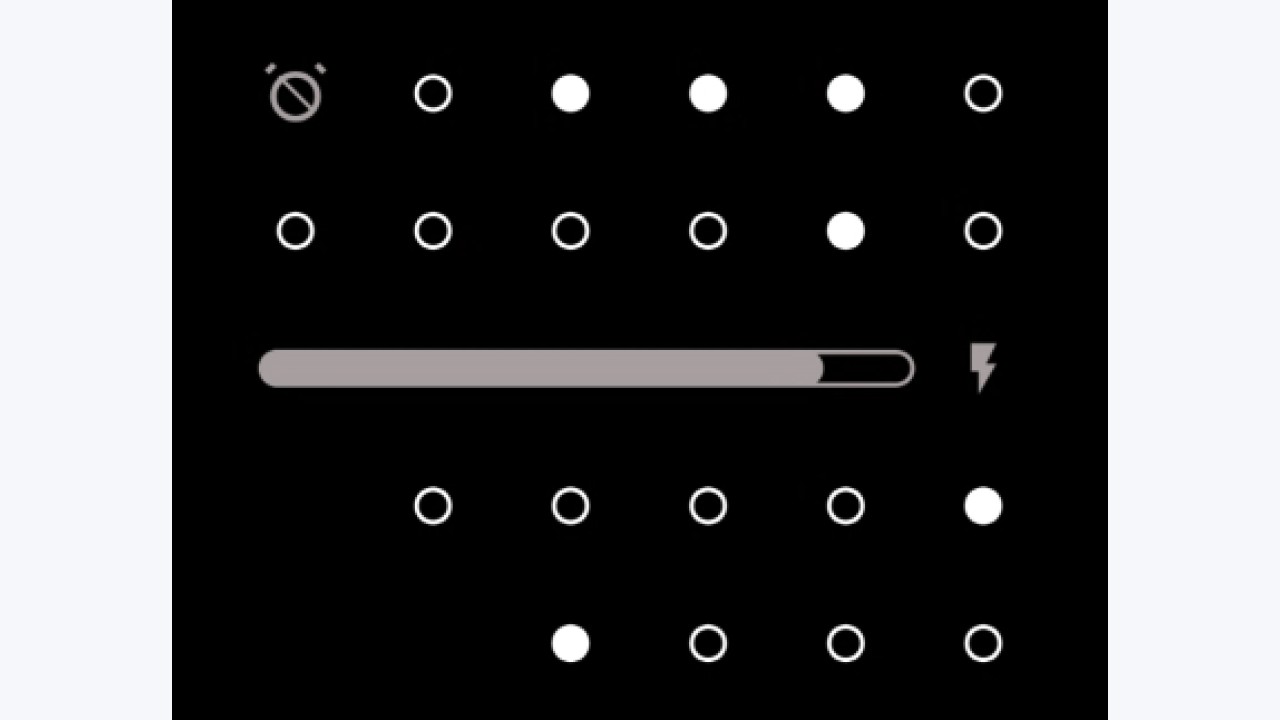
It renders the current time and date as a 6×4 grid of dots. Cells that would otherwise go unused carry a couple of small extras: the device alarm state and a weather glyph. The aesthetic is deliberately austere — solid dots on true black, no chrome, no colour — so it disappears into an AMOLED wallpaper and sips battery.
How to read it
The face is a grid of rows (values) and columns (place values):
* Rows encode, top to bottom: hours, minutes, day (of month), month.
* Columns are binary place values: 32 · 16 · 8 · 4 · 2 · 1.
* A lit (solid) dot means that place value is on; an unlit dot is off. Add the lit columns in a row to read that row's number.
For example, a minutes row with the 32, 8, and 2 dots lit reads 32 + 8 + 2 = 42.
The cells not needed by the low-value ends of the shorter rows are reused to show the alarm state and a weather condition glyph.
Battery indicator
Between the minutes and day rows sits a battery readout that's always on: a level gauge showing charge percentage, plus a state glyph (charging bolt, low-battery warning triangle, or very-low filled triangle). The warning thresholds are configurable in settings — adjust them to match your device and usage patterns.
Weather, network & privacy
Weather is off by default and opt-in: on a fresh install the widget makes no network or location calls, and no weather glyph is shown. Weather stays entirely dormant until you enter a weather server URL in the widget settings.
When you turn it on, weather uses the keyless Open-Meteo API. Tapping "Use Open-Meteo" fills in the public endpoint (https://api.open-meteo.com/), which is then contacted over the INTERNET permission to fetch current conditions and a short forecast. You can instead point the setting at your own self-hosted Open-Meteo instance — any http(s) URL is accepted.
With weather on, the widget also needs coarse location (ACCESS_COARSE_LOCATION) to fetch conditions for where you are. Location is read via the platform LocationManager only — there are no Google Play Services, no fused/Play location, and no proprietary SDKs. The coordinates are sent only to the weather server you configured, and only while weather is enabled.
Original developer: shining-cat. Redistributed unchanged by TurboApp from F-Droid. This is not the official developer account. Signatures may differ from other stores.
License: GPL-3.0-or-later. Copyright and license notices | Corresponding source archive | Original project
Repository and APK signatures, hash and package identity checked. Runtime testing and a full malware scan have not been performed. Pending administrator review.
Versions
Developer
Reviews
No reviews yet.