


Atmo Engine
TurboApp republication: Upstream contributorsAnimated wallpapers with Atmosphere, Glass, Canvas Sketch and playlists.
Screenshots
About this app
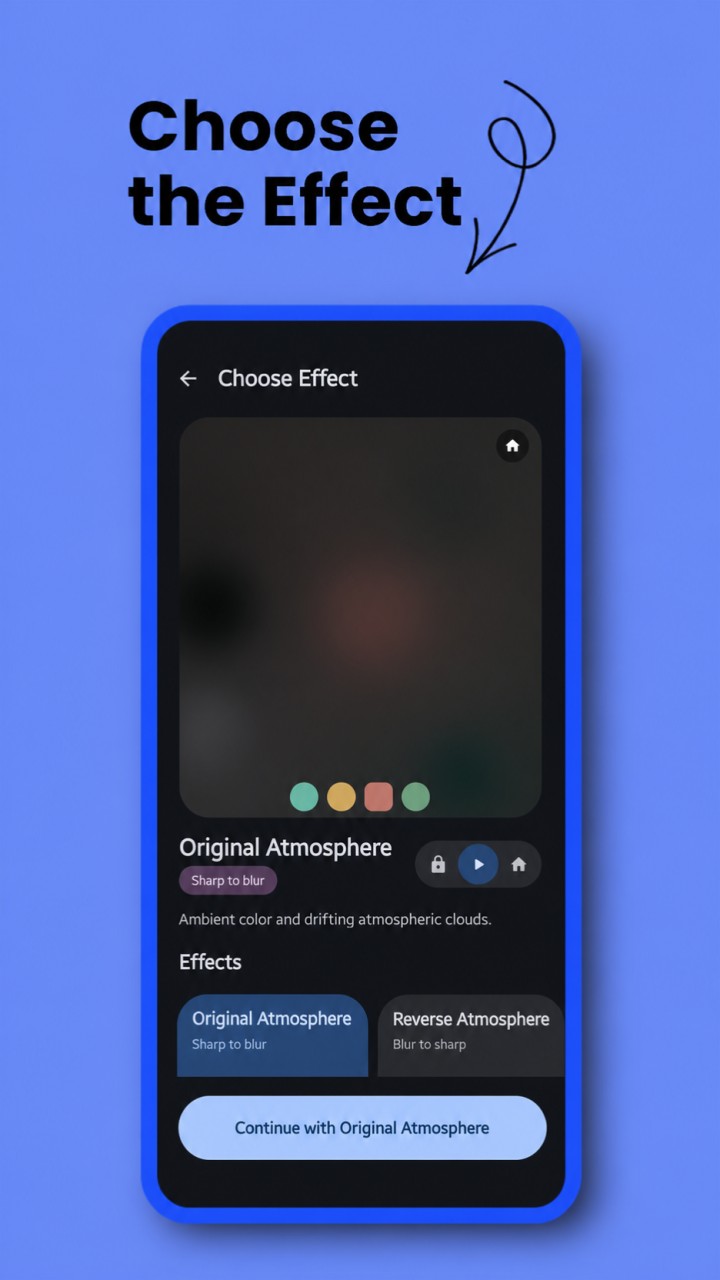
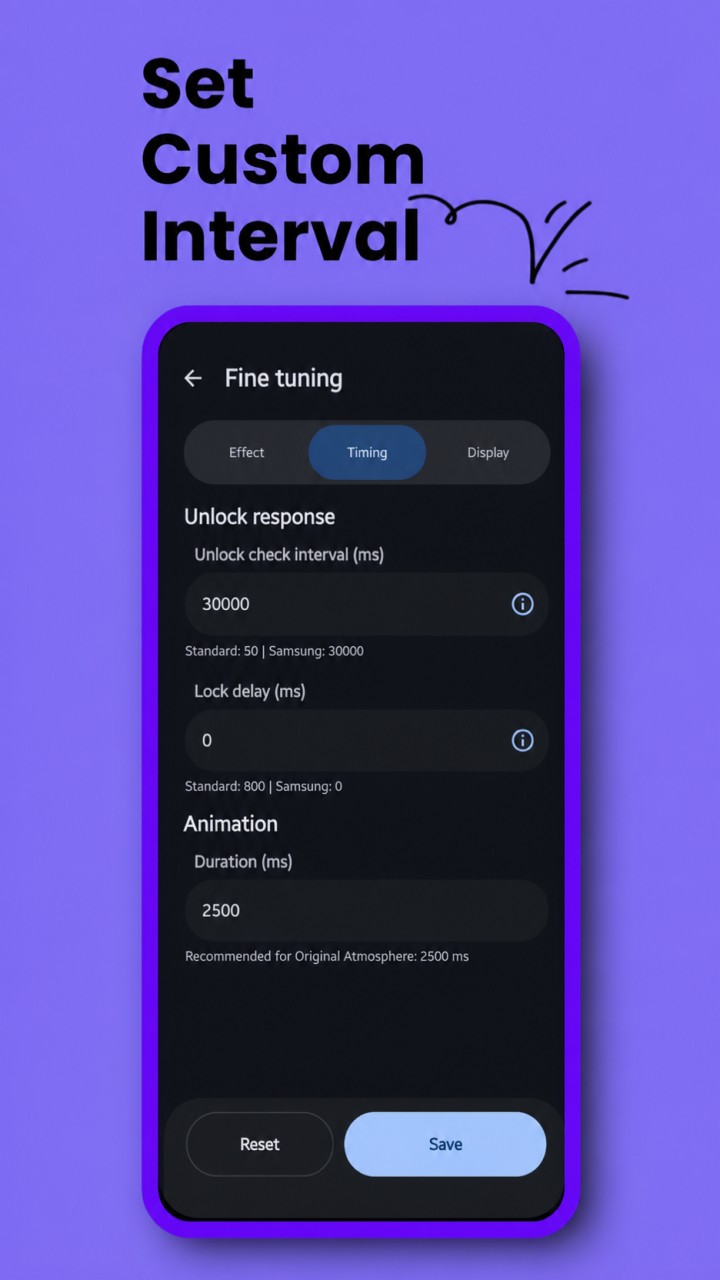
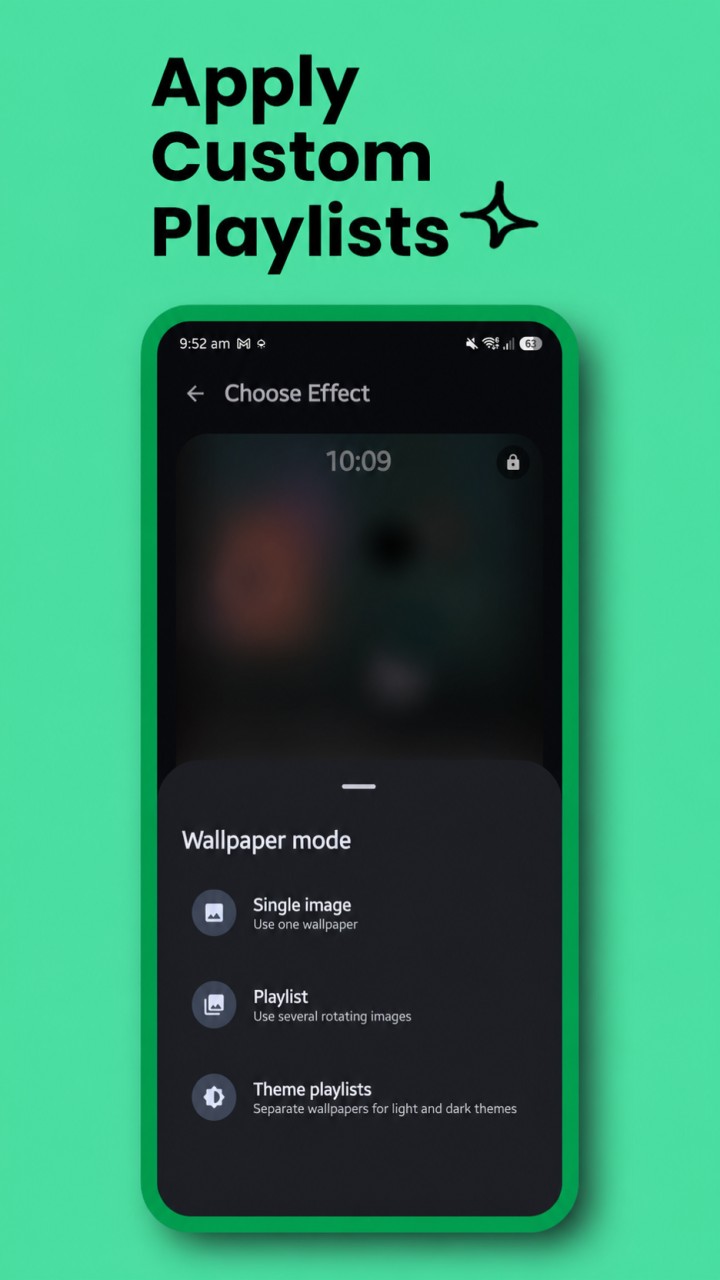
Atmo Engine 7.1.1 turns your images into customizable live wallpapers, with optional lock-screen-to-home-screen transitions. Atmo Engine is an open-source wallpaper studio inspired by the Atmosphere effect in Nothing OS. Choose an image, preview and fine-tune the effect, then apply it through Android's live wallpaper screen. EFFECTS • Atmosphere and Reverse Atmosphere, with optional reeded glass • Glass and Reverse Glass • Color Fill and Reverse Color Fill • Canvas Sketch and Reverse Canvas Sketch • Simple Frosted and Reverse Frosted • Halftone Print and Reverse Halftone Previews use the same image, settings, and graphics API as the live wallpaper. TRANSITIONS OR ALWAYS-APPLIED EFFECTS Fine tuning > Timing lets you disable transitions and keep the final effect visible on Home, Lock, or Both. Atmo remains a live wallpaper, so playlists, theme playlists, Fine Tune controls, subject isolation, and supported launcher scrolling continue to work. Keep Atmo selected for both Home and Lock in Android's wallpaper picker. When transitions are off: • Home screen: effect on Home, original image on Lock • Lock screen: original image on Home, effect on Lock • Both: effect on both screens This mode does not install a baked static image. WALLPAPER MODES • Single Image • Playlist with automatic rotation • Theme Playlists with separate Light and Dark collections Theme Playlists follow device appearance and rotate within the active collection. Every image keeps its crop, zoom, fit, and scrolling position. FINE TUNING Customize animation duration, dimness, Glass rib count, thickness and transition style, blur, grain, Atmosphere contrast and saturation, Halftone detail, Canvas Sketch lines, fingerprint position, image fit, experimental wallpaper scrolling, and playlist timing. Glass and Halftone can apply their effect to the background only. Atmosphere can optionally use the same reeded-glass treatment on its clear state, including line and background-only controls. MATERIAL 3 INTERFACE Material Expressive styling can follow the system palette or use fixed colors. Choose System, Light, or Dark appearance, with an optional pitch-black background. Controls include meaning-aware motion and haptics. VULKAN OR OPENGL ES Fine tuning > Display offers: • Automatic (recommended): Vulkan when compatible, with safe OpenGL ES fallback • Vulkan: requests Vulkan while retaining compatibility checks and fallback • OpenGL ES: skips Vulkan and always uses OpenGL ES The choice applies immediately to previews and the active wallpaper. Atmo negotiates the highest Vulkan version supported by the Android loader and GPU driver, from Vulkan 1.4 through 1.1. It does not use Shizuku or change the system driver. If Vulkan setup, texture upload, or presentation fails, only that effect falls back to its equivalent OpenGL ES renderer. A status at the bottom of the main screen shows the API that genuinely rendered the live wallpaper and the negotiated Vulkan version when active. OFFLINE-FIRST PRIVACY Images, crops, sketches, palettes, and playlists stay on-device. Atmo requests neither Internet nor network-state permission and contains no developer-operated advertising or…
Original developer: Upstream contributors. Redistributed unchanged by TurboApp from F-Droid. This is not the official developer account. Signatures may differ from other stores.
License: MIT. Copyright and license notices | Corresponding source archive | Original project
Repository and APK signatures, hash and package identity checked. Runtime testing and a full malware scan have not been performed. Pending administrator review.
Versions
Developer
Reviews
No reviews yet.